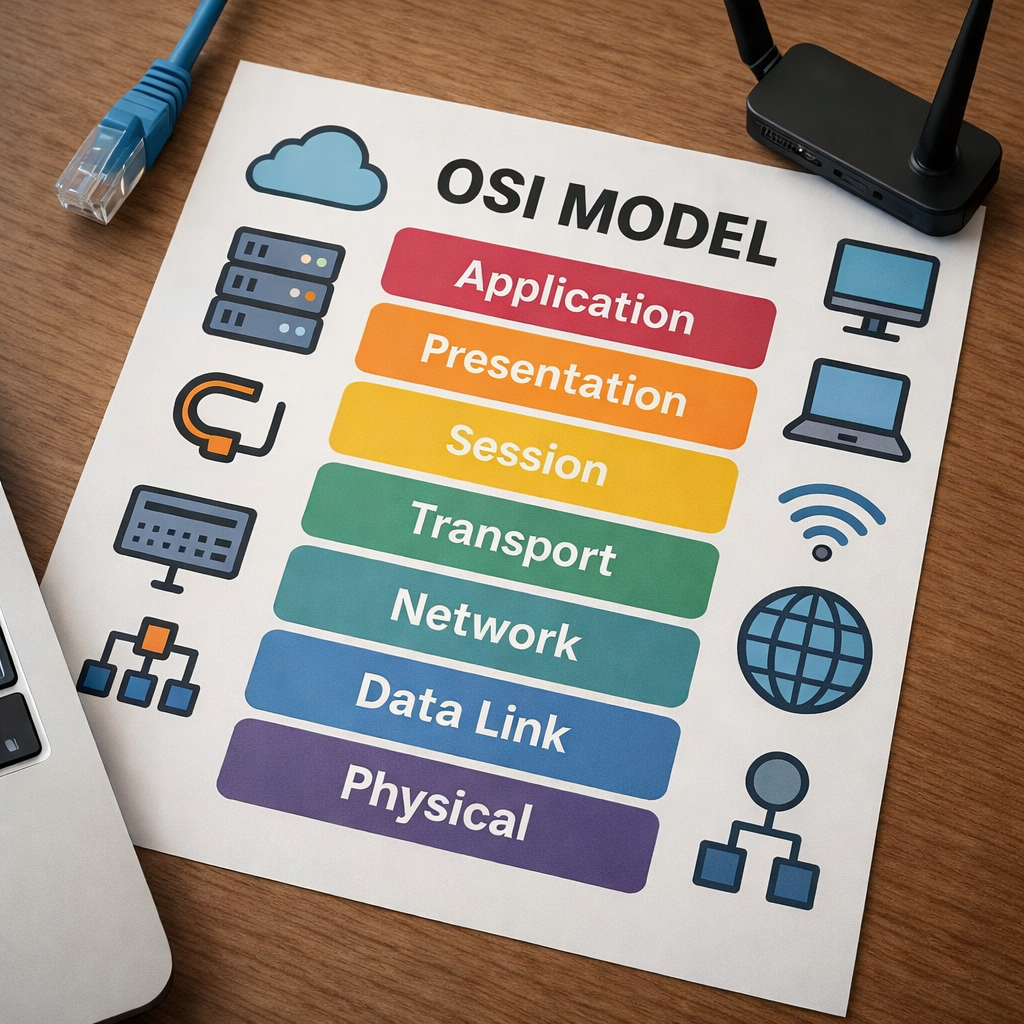
Hi, today I am going to dive into the OSI model. The OSI model is one of the most important things when it comes to networking in my opinion. It serves as the foundation to simplify the complexity of what is really going on when a packet traverses a network. A good understanding of the OSI model will go far in terms of grasping concepts and is also a big help when it comes to troubleshooting. This model is great because it contains a suite of protocols that are key to enable interoperability between different vendors. Ever wondered how your MAC laptop can send emails to someone else using a Windows laptop, what about your MAC laptop connecting to a linux server? Its because of the OSI model!
The OSI model has 7 different layers. These layers Physical, Data link, Network, Transport, Session, Presentation, and Application. I am going to break this down for you one by one.
Physical Layer
Let’s start with the Physical Layer.This includes cables, connectors, hubs, pulses of light, radio waves and voltages. It’s the most simplest of layers, but without it a network wouldn’t exist. This layer also includes the transmission that goes through the cables. So for copper cables, electric signals are a part of the physical layer. For fiber optic cables, pulses of light are a part of the physical layer. And for a router with a wireless interface, radio waves are a part of the physical layer. Electrical signals, pulses of light, and radio waves are all a part of the physical layer, and is how different nodes are even able to transmit data. The physical layer also consists of encoding and decoding. In order for data to be sent over to the receiving host, the physical layer starts to encode, which is turning bits into signals(pulses of light, electric signals, radio waves). When data is being received by the host, the physical layer starts to decode, which is turning signals back into bits. This is called encoding and decoding and is a major part of the physical layer. Before data gets sent out of a PC, bits turn to signals. When data is being received by a PC, signals turn into bits.
Data Link Layer
The next layer is the Data Link Layer which is layer 2. In this layer a header and a trailer are added to a layer 3 packet when data is being encapsulated which turns it into a frame. Some important information in the header is source MAC address, destination MAC address, and for trailer is frame checking sequence. These are all important information that is absolutely required for an ethernet frame to traverse a network. When the data link layer adds a header and a trailer the PDU is called a frame. So whenever you hear the word frame, think of layer 2. Common layer 2 protocols are ARP, STP, CDP/LLDP. (For clarification, ARP operates at BOTH layer 2 and 3) This layer is strictly a LAN communication layer, meaning the host can only talk to hosts if they are a part of the same broadcast domain. A host in Layer 2 cannot connect to any host outside of its subnet or LAN without a layer 3 device. Frames are forwarded based on MAC addresses and layer 2 switches are the devices that facilitate this communication.
Network Layer
The next layer is the Network layer, which is layer 3. This layer is extremely important for internetworking. This layer uses logical addressing such as IP addresses to communicate with hosts on external networks. At layer 2, you are limited on who you can talk to, meaning Bob can only send data to Susan if they are in the same building. But what if Bob wants to talk to Susan, when they are in different buildings or what if you want to watch Netflix and have no local connection to a server? This is where the Network Layer comes to shine and break barriers, pun intended lol. Layer 3 consists of network devices like routers, that allows someone from a local subnet to communicate or send data to host or server in a completely different subnet. It does this with routing tables, routes, and routing protocols whose main purpose is to receive a packet and send it to a destination that is in another subnet/network.
Transport Layer
Now we have the Transport layer, which is layer 4. This layer ensures proper delivery so that the appropriate application/process receives the data. A PC can run many applications at the same time, it can send emails, browse the web, edit videos, stream videos, and much more. But how does your request get there, who is doing the delivery, and when it gets delivered how does it tell it apart? This is when the transport layer really shows up! The transport layer has two main protocols that orchestrate communication, the connection based one which is TCP, and a connectionless one which is UDP. Which one is chosen is based on what application is being used. If you just typed google.com(DNS) on your browser instead of an IP, you will be using either TCP or UDP because it supports both. If you are using SSH to remotely log in to a router, you are using TCP. If you’re emailing somebody(SMTP), you will be using TCP. Now how does the receiving host tell apart emails from DNS requests? Port numbers. Port numbers are unique to protocols meaning SMTP is TCP port 25 meaning no other protocol uses TCP port 25 it is reserved for SMTP. Same thing goes for SSH, how does the receiving host transport layer know which application should receive the data? By the port number 22, therefore when the Transport layer on the receiving host decapsulates the packet it knows where the packet came from and which application it belongs to.Port numbers are well-known and standardized by convention so that specific application protocols are expected to use specific ports.
Session Layer
The next layer is the session layer, which is layer 5. This layer is responsible for creating, terminating, and managing sessions between applications. It helps manage dialog between systems, for example controlling how data is exchanged such as half duplex or full duplex communication. It is also responsible for maintaining sessions. Conceptually, the session layer ensures that sessions remain active, so applications that you are using can maintain continuity even if it is left temporarily idle. Session is not only good for creating and managing sessions but also for gracefully terminating a session. What is graceful termination? Say you were signed into your bank account and instead of clicking log out, you just straight up unplugged your computer. That is ungraceful termination, the session layer had no time to really do anything and you turned it off while it was keeping the session alive. But what if you clicked log off? Then the session would realize you were finished and gracefully(intentionally) end the session, giving you a message that “you have successfully signed out.” I signed out of my bank account and put what it actually looks like to gracefully end a session. As you can see in the green it says “You have successfully signed out” which indicates a graceful termination. One more important feature of session, is that it is also good at synchronization. During synchronization, it makes checkpoints so in case something happens(internet loss?), when the session is reestablished the checkpoint allows the session to pick up where it left off. Have you ever used google docs, type something and close it for whatever reason, maybe your power went off. But when you come back and everything you typed was still there, that is a good example of a checkpoint saving where you left off and allowing you to pick up there like nothing happened. For clarification, google docs manages this at the application level, but the idea of this analogy illustrates how the session checkpoint actually works in Layer 5. Now don’t take all of these examples to heart, but merely to show what the session layer does conceptually, in modern networks and in the real world application such as the TCP/IP model, the application layer helps a great deal of things such as keeping sessions alive or picking up on a google docs session after the internet going down. I will talk briefly about TCP/IP later.

Presentation Layer
The next layer is layer 6, which is the presentation layer. This layer is dedicated to making data from one device readable to another device even if both devices use different data formats. Data formats include JSON, XML, ASCII, JPEG and more. The presentation layer’s job is to make sure that PC1 using JSON,ASCII or XML can be understood by PC2 by converting between formats. However if PC1 wants to communicate with PC2, they must both agree on what to use. So if PC1 chooses JSON, it will ask PC2 if that’s okay. While encryption protocols like TLS/SSL occur across multiple layers(4 – 7), the presentation layer is where the encryption and decryption happens. The presentation layer will transform data into ciphertext before it is transmitted across the network and the presentation layer on the receiving end of the device will turn that cipher text back into plaintext. Another trait about the presentation layer is its ability to compress data which helps make more efficient use of bandwidth. Now what is compressing? It’s basically the act of shrinking data before sending it off. To get a better picture, think of a program that you’ve downloaded but it was in a zip file that had to be extracted(to clarify this is just so you get a picture of what it looks like, actual network compression at the presentation will not have .zip files). And to really visualize it, think of recycling boxes and folding it up to save more space and make it easier for the garbage men to pick up. The presentation layer is able to compress data using algorithms such as gzip or deflate. The presentation has the option of compressing data if it is negotiated from the application layer. While data is going down the protocol stack to be encapsulated, data will get compressed and when the data arrives at the receiving host the data is decompressed ready to be interpreted by the application layer.(One more thing, compression must happen before encryption always). Man, was that jam packed, to summarize the presentation layer is for translating data formats, compressing data for efficiency, and responsible for encryption and decryption.
Application Layer
Last but not least the application layer which is Layer 7. This is where it consists of protocols that the user actually interacts with via software such as POP3, SMTP, DNS, HTTP, HTTPS, FTP and many more protocols. The application layer essentially acts as the interface between the user application and the underlying network and protocols. Please do not be confused about application layer and applications, Firefox(my favorite), chrome, packet tracer, yahoo are all applications but that is not what the application layer is talking about its the protocols that facilitate those applications. HTTPS is the application layer used by web browsers like chrome or firefox(my favorite) to request and receive web content in a secure manner, DNS translates google.com to an IP address and that is used by firefox, gmail sends emails with protocols such as SMTP, POP3 or IMAP.
Firefox = tool
HTTPS = Application layer protocol
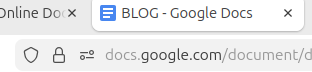
This layer allows processes to process communication. What does process to process communication really mean though? It means that two specific applications running on different hosts are able to communicate using a common language, the language being the application protocols (HTTPS or SMTP). In the application layer, the specific applications are talking to each other, not just the computer themselves. The application layer not only provides the application layer protocols, actual user/application authentication happens here. What about when you want to log into a website but choose to log in with your google credentials, well the application layer handles Oauth as well. (OAuth, Open Authorization is a widely-used standard that lets users grant third-party applications limited access to their data on another service like Google or Facebook without sharing their password) Same thing with FTP servers or when you’re logging into yahoo, all of these authentication checks and verifications are happening at Layer 7. Website certificates are also checked at the application layer, when you see a lock sign next to a website domain, that means that the website has a valid digital certificate and the browser has verified that it is legitimate. I left a picture below of what a verified website looks like on Firefox, as you can see to the left.
TCP/IP Model
That is all of the seven layers, but we are not done yet. Unfortunately the OSI model is no longer modern, it is barely used. The TCP/IP model is now used, am I going to ramble to you paragraphs longer of new material lol luckily no! The TCP/IP model is very similar, let’s break it down, shall we. So the OSI model goes like this:
7 Application
6 Presentation
5 Session
4 Transport
3 Network
2 Data Link
1 Physical
The TCP/IP layer has combined layers 5,6, and 7. It has also combined 1 and 2. So it looks like this.
4 Application (combines Session, Presentation,Application layer)
3 Transport (same as OSI Transport Layer)
2 Internet (equivalent to OSI Network Layer)
1 Network Access (combines OSI Physical and Data Link layer)
The functions of the OSI model are still the same, they are just grouped differently in TCP/IP for practical use.
Leave a Reply